DATEV export for your German tax adviser – everything arrives automatically
One click at the end of the month – or none at all: Bleno collects outgoing invoices, posted incoming receipts and the cash book, reminds you of open months and sends the package to your tax adviser. If you use the German accounting system DATEV, receipts are transferred as soon as they're posted.
Monthly package to your tax adviser in one click
Choose the month – Bleno bundles all published invoices, booked incoming receipts and cash receipts into a ZIP, named after the receipt month, and emails it to your tax adviser. Bleno remembers the address. Large packages arrive as a secure download link.
- Invoices, incoming receipts and cash book in one package – cash book extract per cash register as CSV
- Receipts emailed to your tax adviser – large packages sent automatically as a download link (valid for 30 days)
- Late receipts with an earlier date are included in the “nachgereicht” (submitted late) subfolder
- Overview per month: downloaded, sent, new receipts received since
Automatic sending and reminders
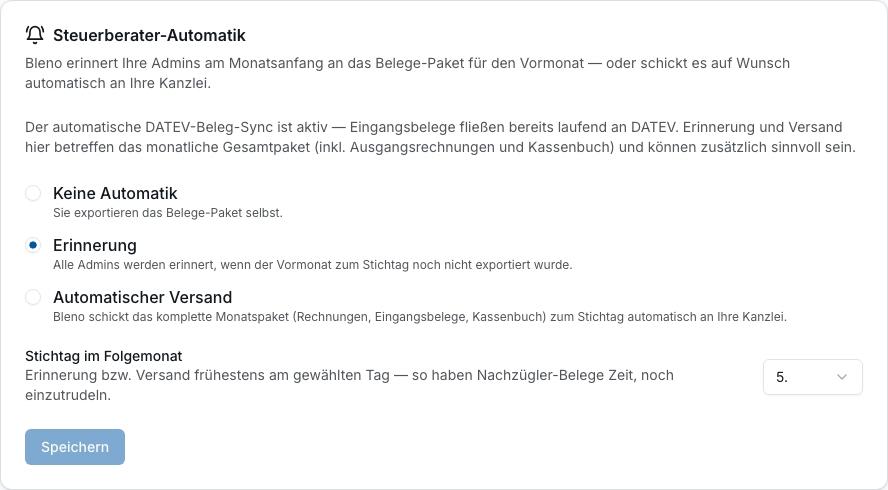
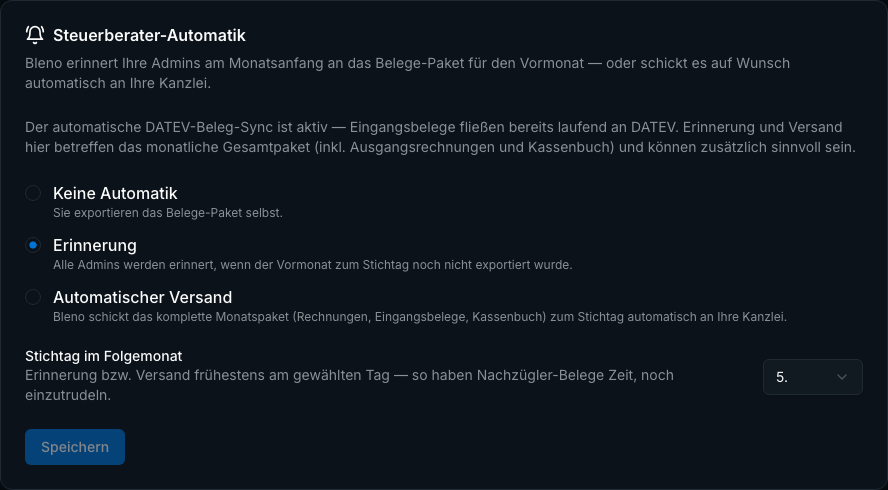
If you wish, Bleno automatically sends the monthly package to your tax adviser on the chosen cut-off day – without anyone having to remember. Or you get a reminder at the start of the month as long as the export is still open and there were receipts in the previous month.
- Automatic monthly sending on the cut-off day – including invoices, incoming receipts and cash book
- Reminder at the start of the month, only if the export is still open
- Admins are notified if sending fails
- Empty months are skipped, no package without content
DATEV receipt sync for Germany
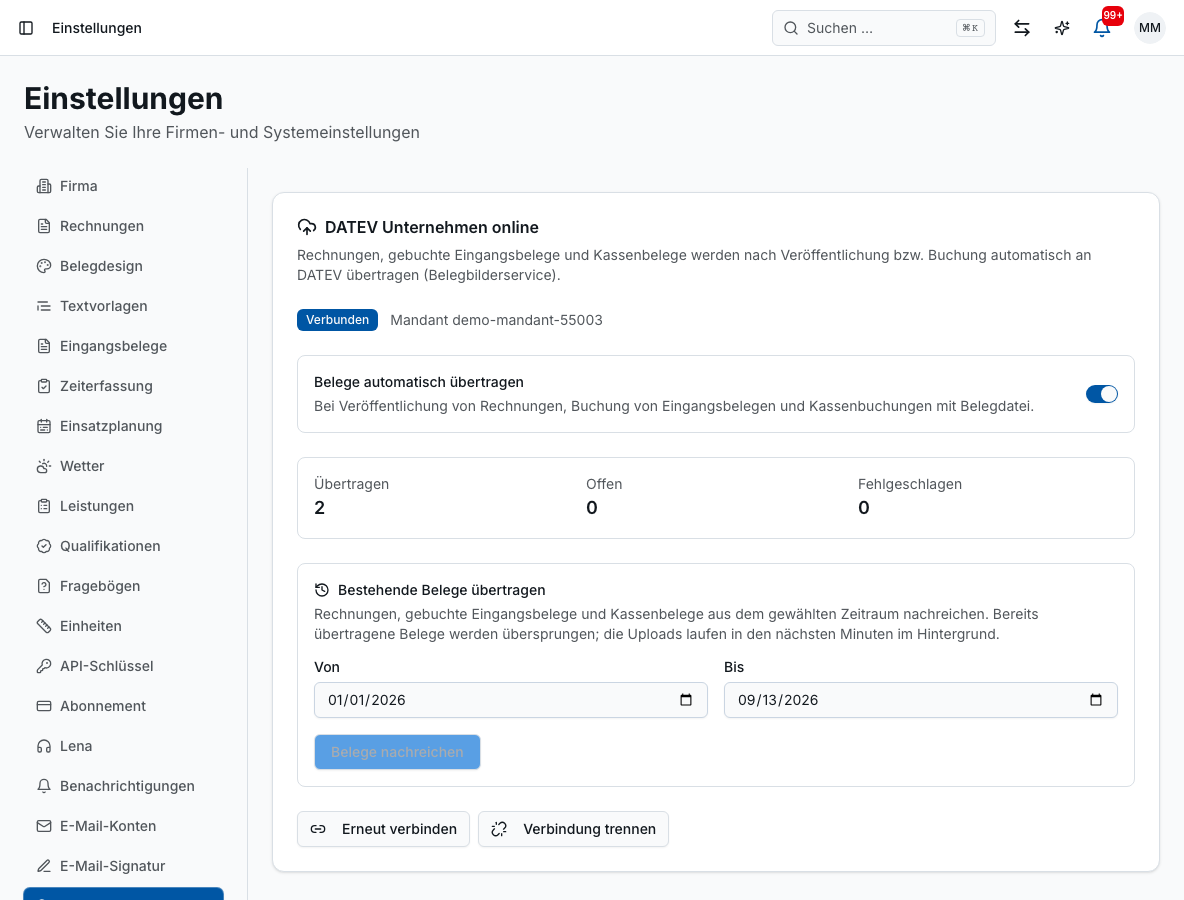
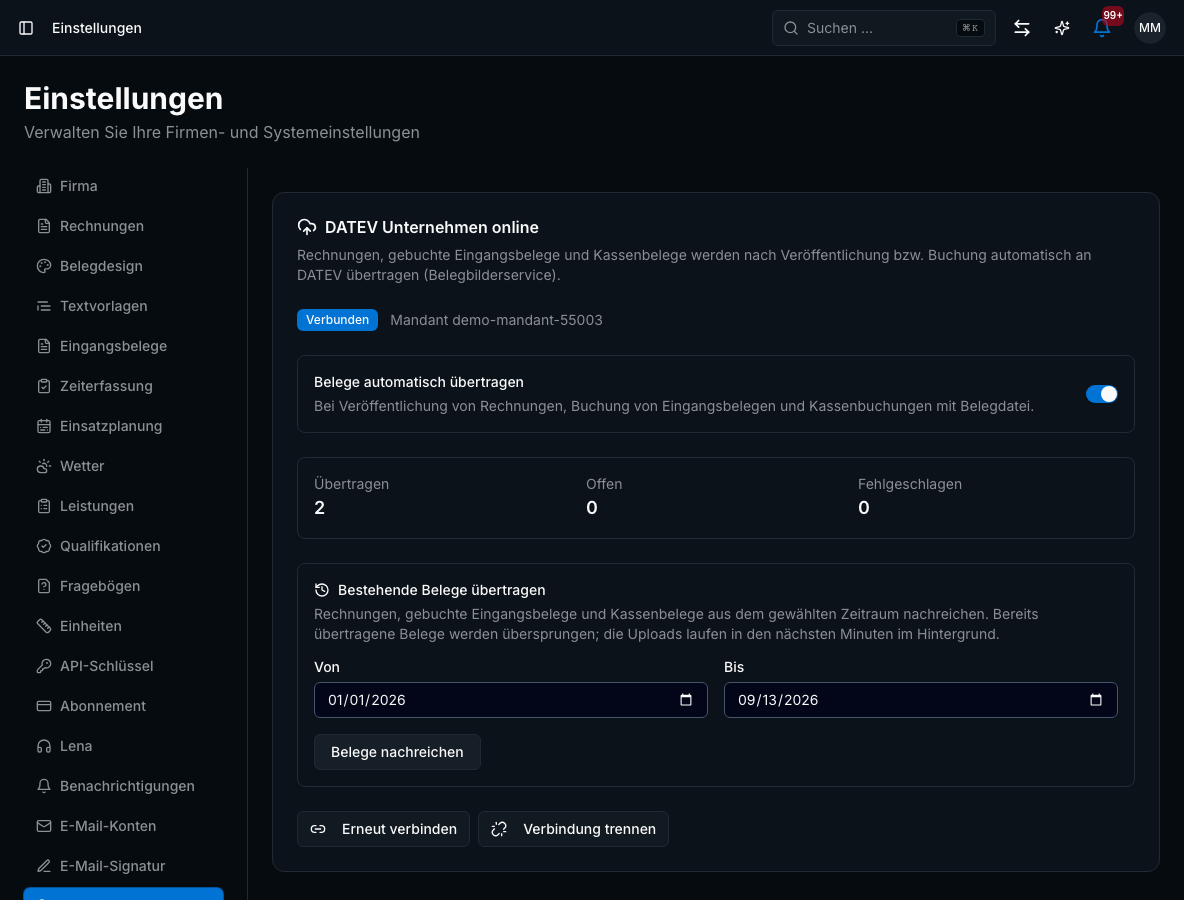
Connect Bleno with the German accounting system DATEV Unternehmen online: after an incoming receipt is booked or an invoice is published, the receipt image is transferred automatically. A “DATEV” card on the receipt shows the status, counters in the settings show pending, failed and transferred receipts – for your German accounting.
- Receipt PDFs automatically to the German DATEV Unternehmen online – incoming and outgoing receipts
- Even without signing in to DATEV in Bleno: via the German DATEV Upload Mail from your connected mailbox
- Status per receipt with “Erneut senden” (Send again), cash receipts as receipt type “Kasse” (cash)
- Submit existing invoices and receipts for a period retrospectively
- Receipts held up by a connection problem are sent automatically once it's back
VAT at a glance
Under Finance → VAT you see the output VAT, input VAT and the expected advance payment for every month – for the current month with a forecast, and traceable down to the individual invoice. That way there are no surprises with the advance VAT return.
- Output VAT, input VAT and expected advance payment per month
- Forecast for the current month, every figure can be expanded down to the invoice
- Set taxation on an accrual or cash basis and the permanent filing extension (Dauerfristverlängerung, Germany) directly there
- Revenue forecast for the following month from monthly flat rates, maintenance contracts and time-and-materials projects
Cash book compliant with the German GoBD
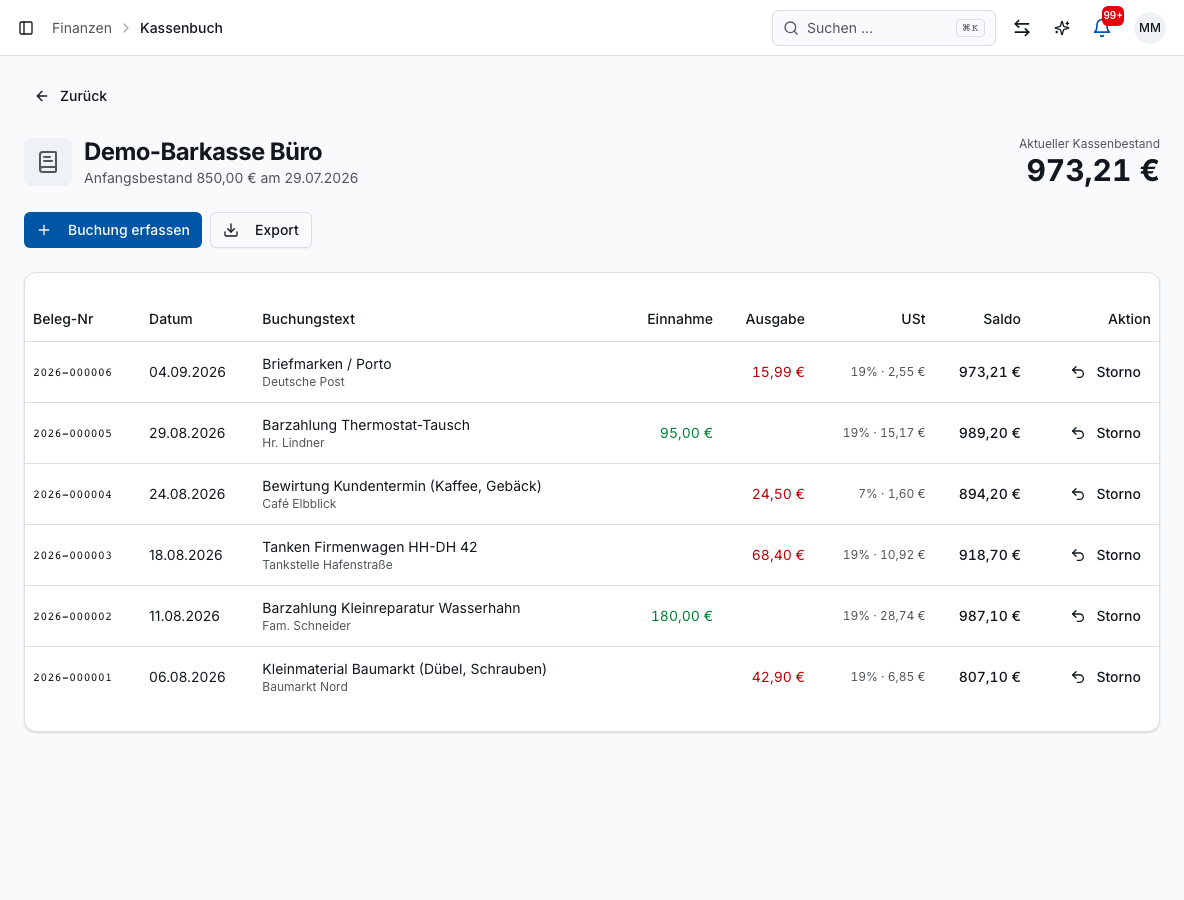
You record cash income and expenses in the cash book in an audit-proof way: numbered consecutively, corrections only by reversing entry, receipt photo directly on the entry. Bleno generates the procedural documentation for the tax audit – for Germany and Austria.
- Consecutive numbering, reversing entries instead of deletion, running cash balance
- Scan the receipt onto the cash entry; record invoices paid in cash in the cash book
- Procedural documentation at the push of a button (German GoBD; Austria: sections 131/132 BAO, Austrian Cash Sales Regulation)
- Cash book and cash receipts automatically in the monthly package for your tax adviser
- Several cash registers (e.g. workshop, building site) with VAT rate and category per entry, export as a German DATEV posting batch
Working hours and overtime for the payroll office
Payroll also gets what it needs: the daily working time records of all employees as CSV – optionally without overtime or undertime – plus target/actual, overtime balance and holidays per month. Straight by email to your tax adviser or payroll office.
- Daily CSV of working time (day, duration, absence note) per employee
- Export optionally without overtime or undertime – capped at the daily target
- Monthly export with target/actual, overtime and holidays – also in German DATEV format
- Exclude employee profiles not relevant to payroll from the evaluation
Benefits
Accounting & tax advisers: what it does for you
- No more shoebox – receipts go automatically to your tax adviser
- Monthly package with invoices, incoming receipts and cash book
- German DATEV receipt sync as soon as receipts are posted
- Reminder as long as a month is still open
- Cash book compliant with the German GoBD, with procedural documentation
- Working hours for the payroll office at the push of a button
FAQ
Frequently asked questions
One ZIP per month with all published invoices, all booked incoming receipts (including receipts submitted late in a separate subfolder), a cash book extract per cash register as CSV and the cash receipts. The package is emailed to the stored address – for large packages as a secure download link that is valid for 30 days.
No. The monthly package works with any tax adviser and any accounting software. If your tax adviser uses the German DATEV Unternehmen online, you can additionally connect Bleno via the DATEV receipt sync or via DATEV Upload Mail – then receipt images are in DATEV straight after booking, with a status per receipt. If you do your own bookkeeping in Lexware Office, Bleno transfers your invoices including the PDF there automatically.
A July invoice uploaded in September is automatically added to the September package – in the subfolder “nachgereicht” (submitted late), so the tax adviser can assign it to the right month. The export dialog announces such receipts in advance, and Bleno warns you if new receipts have arrived for an already sent month since the last export.
Yes. Every entry is numbered consecutively and cannot be deleted, only corrected by a reversing entry. Bleno generates the procedural documentation for the tax audit – for businesses in Austria based on the Austrian BAO and Cash Sales Regulation and the Austrian VAT rates.
No, payroll stays with your tax adviser or payroll office. Bleno provides the basis: daily working hours, overtime balance, holidays and absences as CSV or email – optionally without overtime or minus hours.
Matching features
These features work hand in hand in your daily work. You'll find all the others in the overview.
Cash book
Digital cash book for the German GoBD rules: photograph cash receipts, lock entries, send the monthly extract to your tax adviser.
Learn more – Cash book →Incoming invoices
Supplier invoices and delivery notes recognised by AI and assigned to the right project.
Learn more – Incoming invoices →Bank reconciliation
Match bank transactions with invoices automatically and pay supplier invoices.
Learn more – Bank reconciliation →Quotes & invoices
Create professional quotes, order confirmations and invoices in minutes.
Learn more – Quotes & invoices →Time tracking
Employees record working time in the app – per project, with breaks and approvals.
Learn more – Time tracking →Ready to get started?
Try Bleno free for 14 days, with no obligation. No credit card required.