Wednesday, 15 April 2026
From enquiry to invoice: the digital order process for trade businesses
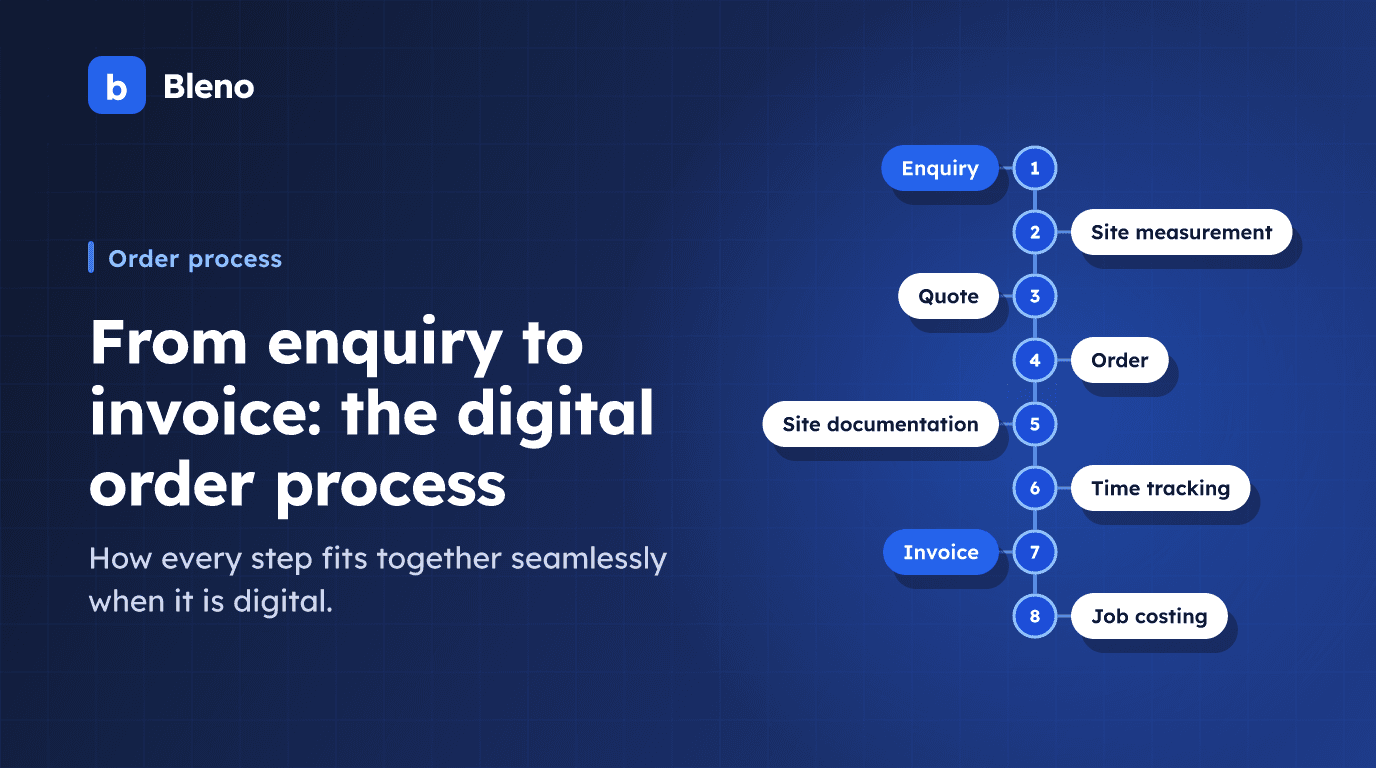
Every trade job follows the same steps: enquiry → site measurement → quote → order → execution → acceptance → invoice. What changes is how these steps are connected.
In many businesses these steps are kept apart: quotes in Word, time sheets on paper, photos on someone's private phone, invoices in Excel. Each step is done on its own – and the information has to be painstakingly transferred from one system to the next.
Digital software connects these steps into one continuous process. In this article we show what that looks like in practice – and where the difference lies.
The traditional (and error-prone) way
Take a typical renovation project handled by a painting business with 6 employees:
Enquiry: The customer phones, and the appointment goes into a paper diary. Site measurement: Rooms are measured and the figures are jotted down on a scrap of paper. Quote: The note is brought back to the office and the figures are typed into Word or Excel. Order: The customer signs a printed order, which is filed in a binder. Execution: Hours go on a weekly time sheet, photos stay on a private phone. Invoice: Hours are copied from the time sheet and the invoice is written in Word. Job costing: Usually doesn't happen at all.
Every step is isolated. Information is typed in several times. Mistakes creep in. Time is lost.
The digital way: step by step
Step 1: Capture the enquiry
The customer calls or sends an email. The enquiry is recorded in Bleno as a lead – with contact details, a project summary and the preferred date.
If the customer is a regular, their details are available immediately: previous projects, contacts, special notes.
Step 2: Record the site measurement digitally
During the customer visit, the measurement is captured directly in the app – rooms, areas, lengths. The app calculates square metres, linear metres or volumes automatically.
This data is saved to the project straight away. No scraps of paper, no retyping.
Step 3: Create the quote – straight from the measurement
The quote is built on the recorded measurement. Materials are selected from the supplier catalogue, labour hours are based on stored experience values, and measured quantities are carried over directly.
The result: a complete, professional quote – in minutes instead of hours. The customer receives it on their smartphone while you are still on site.
Step 4: Order and project set-up
The customer accepts the quote. In Bleno the order is created, employees are assigned and the first appointment is entered on the scheduling board.
From this moment on, everything runs in the context of the project: hours, photos, materials, communication.
Step 5: Execution – time tracking and site documentation run alongside
During the work:
- Employees book their working hours to the project in the app
- Photos are saved directly in the project (before, progress, completion)
- Materials used are assigned to the project
- Anything unusual is recorded as a note
The project manager can see the current status at any time – without phone calls or status reports.
Step 6: Invoice – in a few clicks
The project is finished. The invoice is created directly from the quote – one click gives you the starting point. Hours and materials actually used can be carried over directly.
The invoice can be sent as a PDF or issued as a ZUGFeRD-compliant e-invoice for customers in Germany.
Step 7: Job costing – automatic
Because hours and materials were recorded against the project, the job costing is already there: planned costs from the quote vs. actual costs from time tracking and materials management.
What did this project really earn? The answer is available in seconds.
What the digital process actually changes
No more double data entry
Customer data is entered once and used in quotes, invoices and customer management. Measurement data flows straight into the quote. Quote items are carried over to the invoice.
Fewer mistakes through fewer transfers
Every manual transfer is a source of error. The fewer transfers, the fewer mistakes – in prices, quantities and customer details.
Faster invoicing
If you invoice as soon as a job is finished, you improve your cash flow. With a digital process that's possible – the invoice can be created on the day the job is completed.
A complete view of the project
The owner, project manager and employees all see the same project status – without phone calls, without emails. That cuts communication overhead and misunderstandings.
Reports that were impossible before
Which types of job are the most profitable? Which employee works fastest? In which month do most projects run? With a digital process you can answer these questions.
Which businesses benefit most from switching?
The digital order process pays off especially when:
- Several employees work on different projects at the same time
- Time sheets have to be collected and typed in every week
- Projects regularly cost more than calculated – for no clear reason
- Invoices can only be sent days after a job is finished
- Customer data is spread across several systems
That applies to most trade businesses with 3 or more employees.
Conclusion: the process works – but it costs unnecessary time
The order process in the trades works. It can simply be made simpler, faster and more accurate. Digital tools don't replace craft expertise – they take away the admin that distracts from it.
Once you have seen a job handled digitally from enquiry to job costing, you won't want to go back to the paper chaos.
Try Bleno free for 14 days and experience the digital order process for yourself. Get started.